Photoshop Image Masking

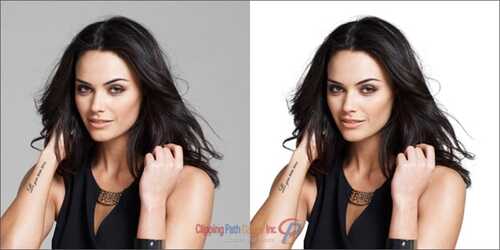
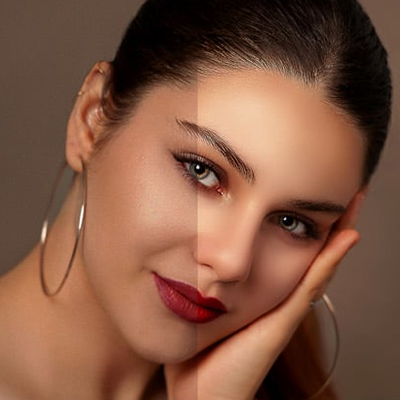
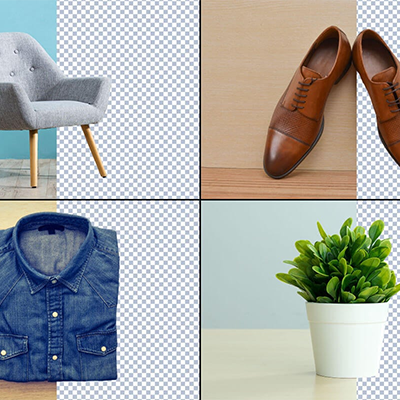
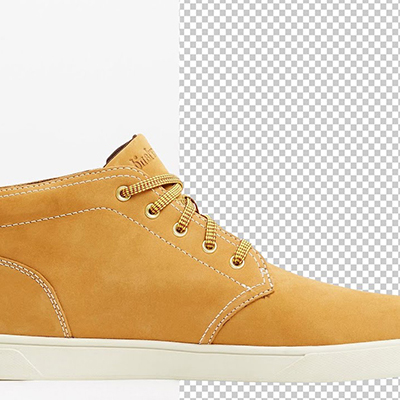
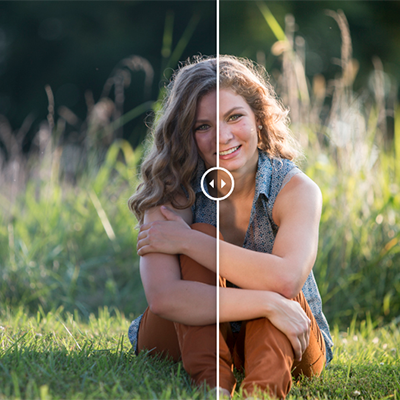
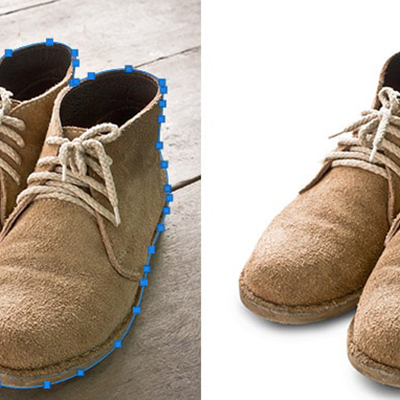
Our Photoshop Image Masking Services expertly remove complex backgrounds such as hair, fur, glass, or transparent objects with pixel-perfect precision. Using advanced masking techniques, we separate subjects cleanly while preserving fine details and natural edges. Ideal for eCommerce, fashion, and product photos, our professional editors ensure flawless, ready-to-use images. Get high-quality, crisp results that enhance your brand’s visual appeal and professionalism.

Starting at $1.49 per image

ClippingPathCenter review

Over 10,000 5-Star Reviews on Trustpilot

Our clients don’t just love our work — they rate it! Join thousands who trust us to deliver perfection, fast.

ClippingPathCenter review
ClippingPathCenter about

What is Photoshop Masking?

‘Mask’ in the digital image manipulation function to select the part of a photograph. It’s called a ‘mask.’ As a callback to physical painting — if you want to preserve the portion of your picture (or wall!) to make sure you don’t accidentally paint over it, you can place an object over it to ‘mask’ it from view (you might even use masking tape or!).

Programs like Adobe Photoshop and GIMP allow you to edit and save custom masks. — Selections that can be loaded and used to ensure that your edits stay within a particular area. You can also use masks the same way as any other selection. Which allows you to cut and paste, move, and edit the selected area.

Let us Know Photoshop
Masking Categories

Photoshop Image Masking Services

Photoshop Layer Masking

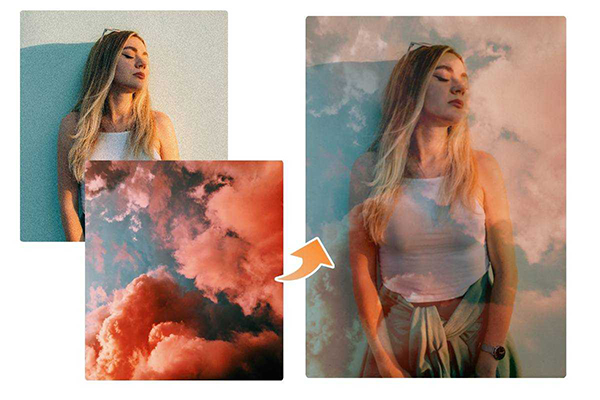
The layer mask is an idea or word bump in our head such as Photoshop layer masking. When it is used to hide some portion or reveal some portion of the image to change the picture’s opaqueness of the specific part of the pictures. When anyone changes the opacity of the layers from the palates of opacity which he originates in the top layer palate Photoshop, the whole picture opacity will be altered.


Photoshop Image Masking Services

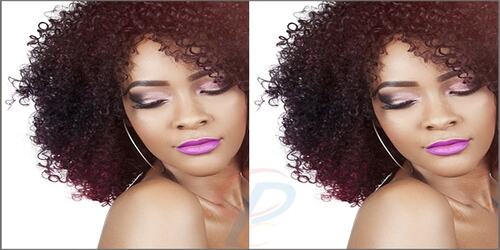
Fur or hair Masking

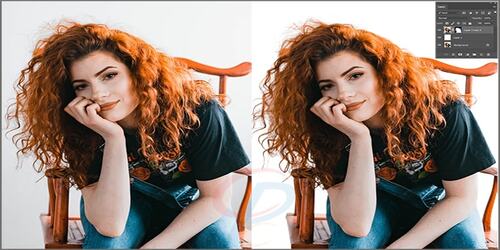
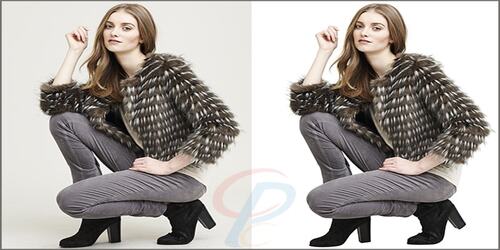
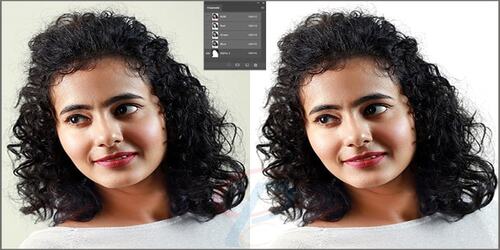
Fur or hair masking services are not an easy task as fur and hair pictures have many soft edges. These kinds of images contain lots of curves or thinner line parts. Moreover, using the Image clipping would not provide you with an exact solution for the background removal of such a picture.

Thus, the hair mask was applied in Photoshop. CPC expert uses color, brightness, and exposure improvement and make the items more realistic. Moreover, the clipping path is less effective than Image masking on the hair, furry animals, flesh, cloth, models, etc.

Photoshop Image Masking Services

Transparent Object Masking

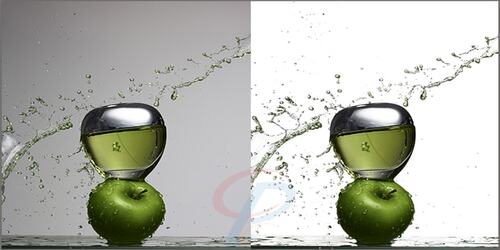
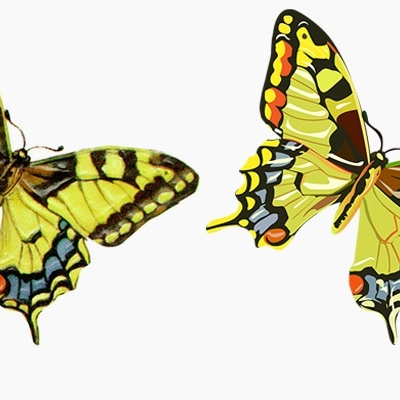
Our Photoshoppers have to work with transparent objects to remove the foreground and background. As well as the masking is only applied to those items which have 0 to 5 percent of opacity and where light can pass through the thing.

However, Graphics designers have to set the image on any backdrop. Also, editors extract it from inappropriate places where the background can be seen through the object. Photographs like glasses, water, jar, jug, car glass, and spectacles need this technique for editing.


Photoshop Image Masking Services

Color Masking

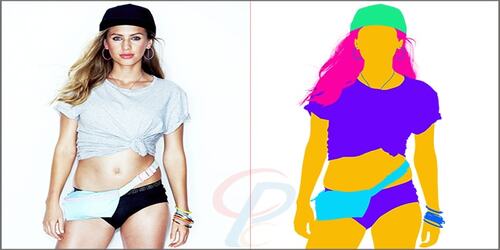
When editing the random color by applying the mask and bounding the variety of displayed colors to the specific shades is called Color Masking.

Excellent control over the updating pixel worth on the screen can be done with this. Limit the Color channels and write each drawing command that can be used by a graphic designer. Storing grayscale images is one example of these services.


Photoshop Image Masking Services

Alpha Channel Masking

The alpha channel masking technique is quite different from the layer or clipping mask. If the object needs to be separated from the background or needs to edit the brightness or contrast or exposure, then this service is a solution for all of these problems. Also, the trouble level in the photograph is not the same.


Photoshop Image Masking Services

Photoshop Refine Edge Masking

Sometimes pictures have hideous edges in the images that create problems in blending two layers. Edges issues are common when placing a person in a new background or exchanging a sky or manually combining exposure to bring back beautiful sunset.

For this, the Adobe Photoshop tool has many powerful features. One of the best features is the Refine Edge tool to mask an image in Photoshop.
Furthermore, this feature lets you fine-tune your selection. Besides, it also helps to work with intricate edges. In Photoshop, there is a menu bar where you can find this tool.


Photoshop Image Masking Services

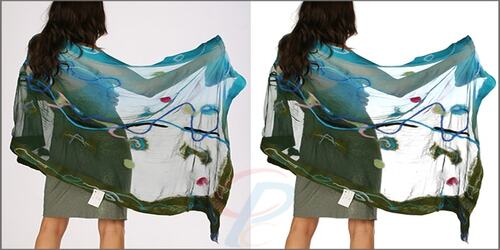
Translucent Image Masking

Translucent Masking type of masking, is a quite bit expensive test. Customized background changes and background colors from translucent items can be removed through this process.

  • Sunglasses,
  • Garments like Muslin, bridal covering, ice-covered glass, and paper

Photoshop Image Masking Services

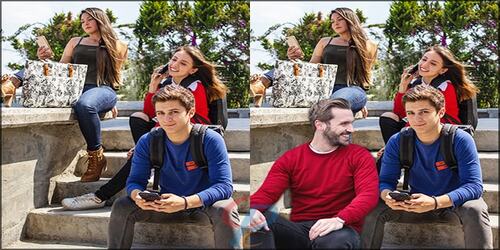
Collage Masking

Collage Masking has a primary function that is used to remove background. Images are used for commercial purposes such as leaflets, magazines, brochures, catalogs, and online websites.

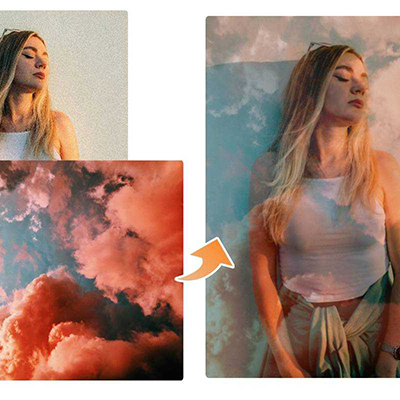
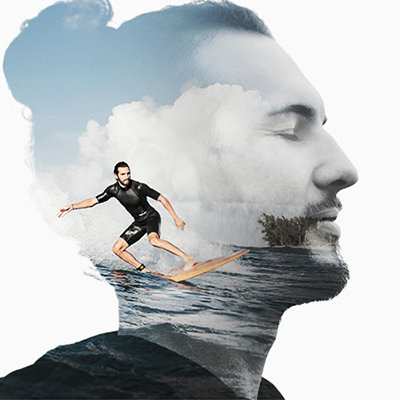
Hence, there is much more to post-processing and photo editing than Photoshop masking services. By copying and pasting, the designer creates a collage with various images together. Using this method, we decorate the photos one by one and create a single unique photograph.

Precise Image Masking Techniques at
Clipping Path Center

Experienced photo masking services provider, Clipping Path Center can be your best companion to overwhelmed this condition. There are various kinds of image masking, and CPC provides most of them
Photoshop Image Masking Services

When you have a business-like print media or digital media, images are crucial to success. If anyone wants success in the business, he needs to present products attractively.

Impress the customer with edited images to lift you to the best renovation of the company. Nowadays, quality is everything. Moreover, 40% of people in this want to see a picture on a white or transparent background.

  • A photographer or an owner of a
  • Business or a fashion house
  • Proprietor may not have enough time to do image editing tasks.

Who needed Photoshop Image Masking Services

Photoshop Image Masking Services services are essential for industries that rely heavily on clean, professional visuals. E-commerce stores, photo studios, and online sellers need precise cutouts to showcase products on white or transparent backgrounds. Publishing houses, catalog designers, and advertising agencies use it to maintain high-quality, print-ready images. Even real estate agents and logo designers depend on Photoshop Image Masking Servicess to highlight key details and maintain brand consistency across platforms.
Who needed Photoshop Image Masking Services - ClippingPathCenter
E-commerce Owners
Ecommerce owners need clipping services to create clean, professional product images that boost sales and meet marketplace standards.
Who needed Photoshop Image Masking Services - ClippingPathCenter
Photo Studios
Photo studios need clipping services to enhance image quality, ensure precise subject isolation, and deliver professionally edited photos to clients.
Who needed Photoshop Image Masking Services - ClippingPathCenter
Online Business Owners
Online business owners need clipping services to present visually appealing, high-quality images that enhance brand credibility and drive customer engagement.
Who needed Photoshop Image Masking Services - ClippingPathCenter
Online Store Vendors
Online store vendors need clipping services to create clean, background-free product images that boost visual appeal and increase online sales.
Who needed Photoshop Image Masking Services - ClippingPathCenter
Publishing Houses & Magazines
Publishing houses and magazines need clipping services to ensure precise image cutouts and high-quality visuals for professional, print-ready layouts.
Who needed Photoshop Image Masking Services - ClippingPathCenter
Order Product Catalogues
Order product catalogues need clipping services to present clean, consistent, and professionally isolated product images that enhance visual appeal and drive purchases.
Who needed Photoshop Image Masking Services - ClippingPathCenter
Home Services Companies
Home services companies need clipping services to showcase clear, high-quality before-and-after images that highlight their workmanship and attract potential clients.
Who needed Photoshop Image Masking Services - ClippingPathCenter
Print Advertising Agencies
Print advertising agencies need clipping services to create sharp, visually compelling ad layouts with perfectly isolated images that align with brand messaging.
Who needed Photoshop Image Masking Services - ClippingPathCenter
Real Estate Agents
Real Estate Agents need clipping services to produce clean, professional property images that capture attention and enhance listing appeal.
Who needed Photoshop Image Masking Services - ClippingPathCenter
Logo Designers
Logo designers need clipping services to create clean, scalable, and background-free logos that maintain quality across all digital and print platforms.

Explore our work!

Take a closer look at our professional Photoshop Image Masking Services work — precision, quality, and perfection in every image.

Photoshop Masking Pricing

We offer highly competitive pricing for our professional clipping path services without compromising on quality — making us the perfect choice for cost-effective image editing.

At Clipping Path Center, we offer affordable and competitive pricing for our professional clipping path services. Whether you’re a small business or a large eCommerce brand, we ensure top-quality image editing at rates that fit your budget. Get premium results without the premium cost.

Submit Order Process
Photoshop Image Masking Services Type Start From
Photoshop Layer Masking $1.49
Alpha Channel Masking $1.49

Why Choose CPC

Clipping Path Center (CPC) has been a trusted name in clipping path and photo editing services for decades. We specialize in delivering cost-effective, hassle-free, and high-quality image editing solutions tailored for eCommerce businesses, photographers, and design professionals worldwide. At the core of our service is a commitment to quality, precision, and customer satisfaction.

To ensure confidence in our work, we offer a free trial — so you can judge the quality of our photo editing services before submitting your full project.

Key Factors to Choose CPC

Image Masking FAQs

Image masking is a technique that removes the background from images that have subjects with fuzzy edges, like hair, wool, or fur. Unlike clipping path services, which are like cutting out an image from a magazine, image masking is a labour-intensive task that requires advanced Photoshop techniques to account for every last strand of hair or fur.

We start with hand-drawn clipping paths along straight edges. Then, we’ll use these Photoshop masking tools and techniques to get to the finer details of removing a background:

Photoshop masking tools and techniques of removing a background

  • The background eraser tool
  • The magic eraser tool
  • The color separation technique
  • The channel mask
  • Hand-drawn clipping paths
Photoshop Image Masking Services

Not all image masking projects are the same, so the rates for each project vary.

Pricing is based on the total number of sections that need masking, the difference between the object and its background, and the background color (because it’s more complicated to separate objects that are similar in color to the background).

Every image is different, but we follow standard pricing guidelines to make sure your rate is always clear and objective, even if you’re working with a different designer. Here’s an overview of the different categories of image masking projects:

1. Basic image masking projects  - $1.19 per image

The simplest images fall into this category. These images have simple, smooth edges around most of the object, with a small portion of the image containing fur, hair, or transparency.

Great for:

  • Eyeglasses
  • Handbags, clutches, and jewelry with tassels
  • Clothing with a fringed hem
  • Transparent or translucent empty containers
  • Glassware

2. Simple image masking  - $1.69 per image

Most images fall into this category — almost 50% of image masking orders at Path. These images are a little more involved than “basic” images because more of the object’s area has furry or fuzzy edges, or the object has complex, smooth edges.

Great for:

  • One person with a head of hair in a photo
  • Fur-lined boots
  • Jewelry with intricate settings
  • Translucent gemstones
  • Topiaries and simple floral arrangements in opaque vases
  • A single stuffed animal with mostly smooth borders, but some furry edges

3. Medium complexity image masking  - $2.39 per image

This is the second most common category for image masking projects. These images may have fur or hair covering the entire subject, or contain varying levels of transparency throughout the object’s edges or area.

Great for:

  • Two people in a photo
  • A stuffed animal
  • A sweater with fuzzy or furry edges
  • A wedding veil
  • A furry animal, such as a dog, cat, or hamster
  • A garment with tulle sleeves or skirt
  • Sheer curtains and drapes
  • Sheer or lacy lingerie

4. Complex image masking projects  - $4.99 per image

Images in this category might have multiple people (or animals) in a single photo. Sometimes images with shadows or multiple background colors fit in this category too, because they require a combination of image masking techniques

Great for:

  • Two or more animals in a single photo
  • More than two people in a photo
  • A complicated surface with lots of holes, like a soccer net

5. Super complex image masking  - $8.99 per image

A very small number of image masking projects fall into the super complex category. These images have highly intricate borders and require a variety of image masking techniques.

Great for:

  • Feathers
  • Large groups of people
  • Pine needles or wreaths
  • Transparent or translucent objects shot against a multi-colored background
Loved by 20K+ brands

Trusted by over 20,000 brands worldwide — Because quality, speed, and reliability matter.

Brands,ClippingPathCenter  Work with Brands,ClippingPathCenter  Work with Brands,ClippingPathCenter  Work with Brands,ClippingPathCenter  Work with Brands,ClippingPathCenter  Work with Brands,ClippingPathCenter  Work with Brands,ClippingPathCenter  Work with Brands,ClippingPathCenter  Work with Brands,ClippingPathCenter  Work with Brands,ClippingPathCenter  Work with Brands,ClippingPathCenter  Work with Brands,ClippingPathCenter  Work with Brands,ClippingPathCenter  Work with

Let Us Transform Your Images Into Masterpieces!

ClippingPathCenter
Send us 2 sample images — we’ll deliver the edited results within 20 minutes, so you can judge our work before placing your full order.